Take control of every byte on your network
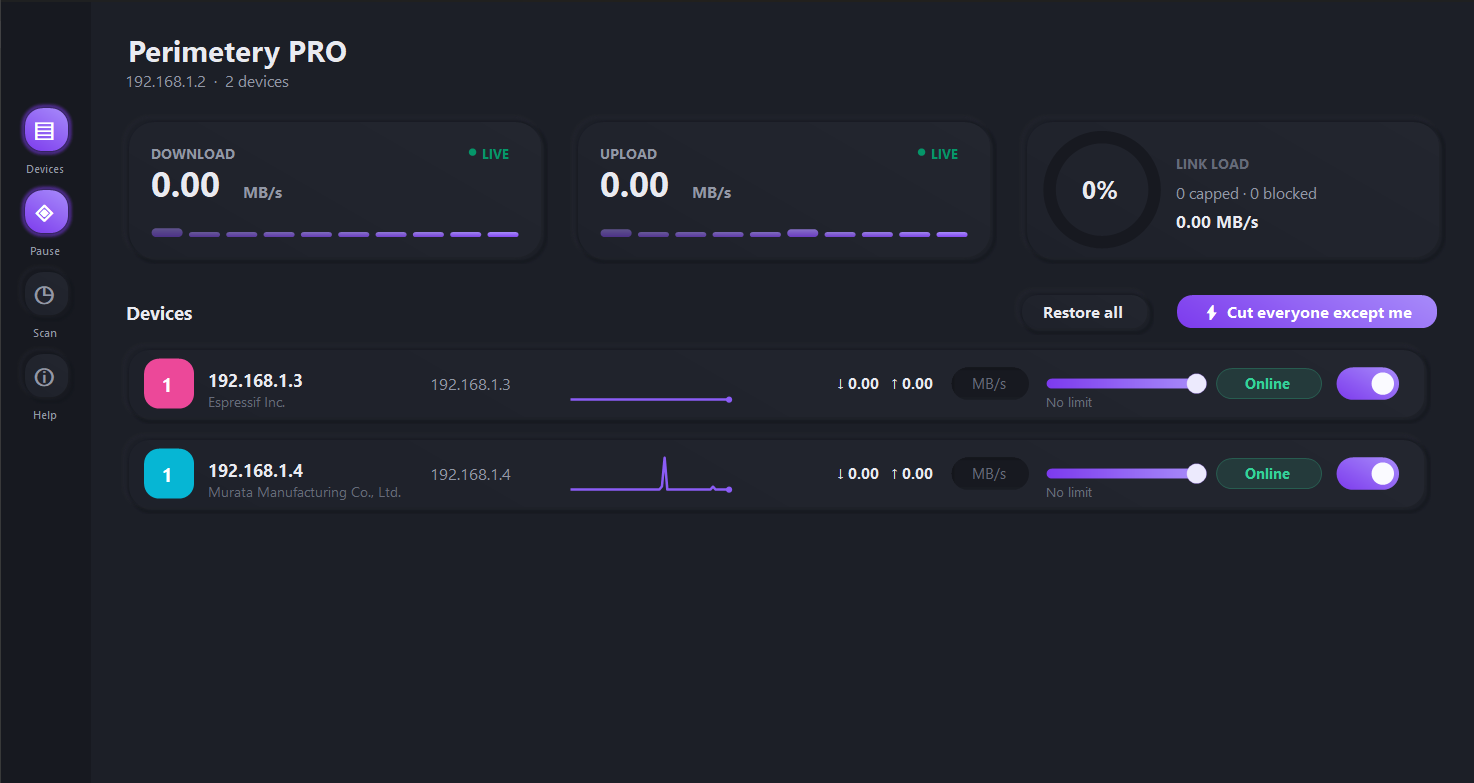
Perimetery PRO gives network admins and IT teams real-time bandwidth throttling, device blocking, and live traffic monitoring. All from one Windows desktop app.
Everything you need to manage bandwidth
Purpose-built tools for admins who need precision, visibility, and control over every connected device.
Real-Time Bandwidth Control
Throttle, cap, or block any device on your network instantly. Changes apply within milliseconds, no reboot required.
Instant enforcementLive Traffic Monitoring
Watch upload and download throughput for every device on a dashboard that refreshes every second, with a sparkline of recent activity.
Second-by-second dataPolicies That Persist
Set independent upload and download caps, rename devices to something you recognise, and keep every rule tied to its MAC address.
Survives restarts & new IPsUp and running in minutes
No agents to deploy on client devices. Install once on any Windows machine on the network.
Install & Discover
Install Perimetery PRO on one machine. It scans your subnet and lists every connected device automatically.
Set Rules Per Device
Pick a device or group, set a bandwidth cap or block, and choose when the rule applies.
Monitor In Real Time
Watch traffic shift live as rules take effect, with per-device throughput updating every second.
Simple, transparent pricing
Every plan includes real-time throttling and monitoring, and a 7-day money-back guarantee. Scale up when you need more control.
Try it for 7 days. Full refund if it is not for you, no questions asked, and cancel any time. Refund policy
Trusted by network teams everywhere
“We cut helpdesk tickets about slow Wi-Fi by 80% within a month of setting per-device caps.”
Frequently asked questions
Real-time bandwidth control and monitoring for Windows networks.
Perimetery PRO may only be used on networks you own or are authorised to administer. Orders are processed by Paddle.com Market Ltd, the Merchant of Record, which handles billing and applicable sales tax and VAT. Windows is a trademark of Microsoft Corporation; macOS is a trademark of Apple Inc. Neither company endorses this product.