
If you've used NetCut to manage devices on your network, you already know how useful ARP-based network control can be, and how quickly you run into its limits. Whether it's the clunky interface, Windows 11 compatibility issues, or the need for more granular per-device control across a shared office network, there are better tools available right now for free.
What Is NetCut and Why Look for an Alternative?
NetCut works by sending ARP packets to trick devices on your local network into routing traffic through your machine, giving you the ability to cut or throttle their connection. It's a clever trick, but the software hasn't kept up. The UI feels like it was designed in 2005, the free version is ad-heavy, and on newer versions of Windows it can be unstable without WinPcap installed correctly.
Most people don't realize the WinPcap dependency is the root cause of about half the "NetCut stopped working" complaints you see on forums, they keep reinstalling NetCut when the real fix is sorting out the packet capture driver underneath it.
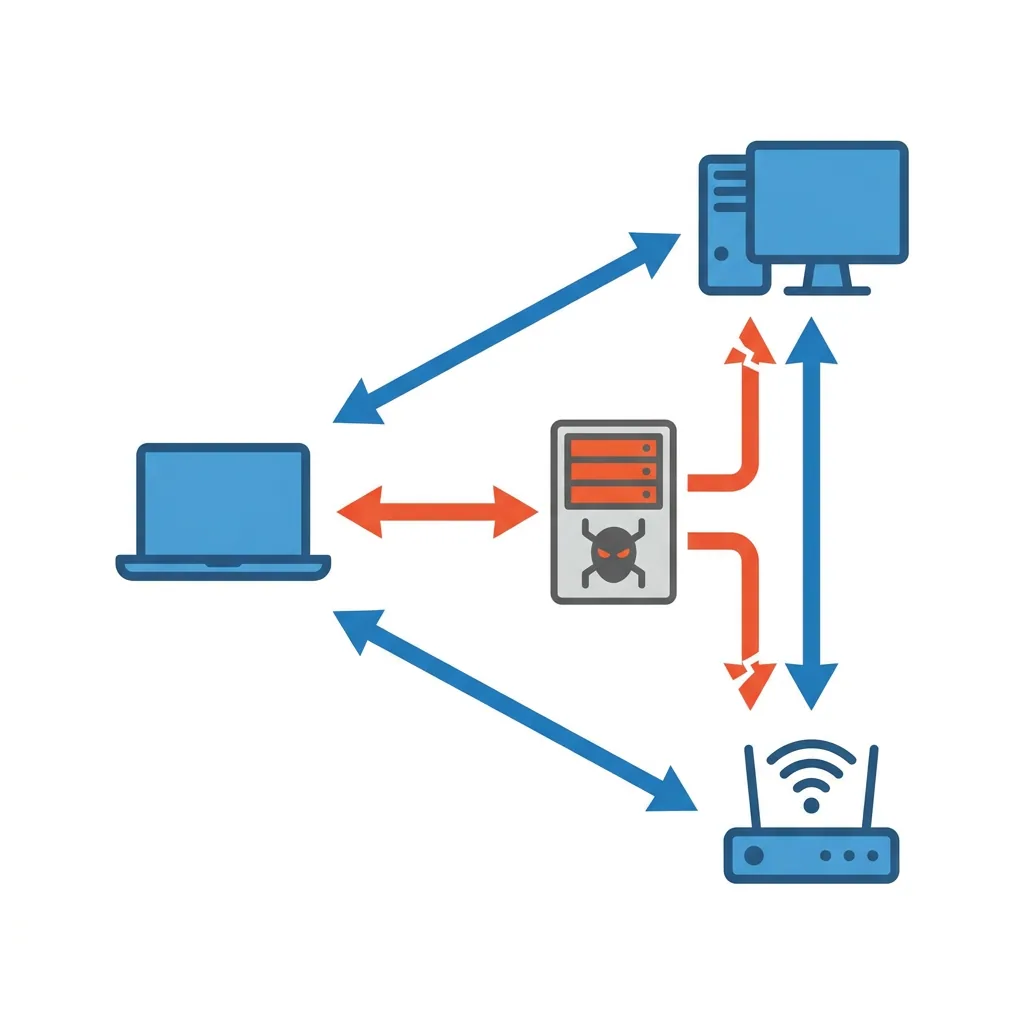
For IT admins managing shared bandwidth environments with limited staff, or network administrators who need reliable per-device visibility without the overhead of enterprise hardware, these gaps add up fast.
elmoCut, The Open-Source Drop-In Replacement
elmoCut is the closest direct replacement for NetCut on Windows. It does the same core job, ARP spoofing to cut or control devices on your local network, but it's open source, actively maintained on GitHub, and ships without adware. The interface is minimal but functional: scan the network, see connected devices listed with their MAC addresses and IPs, and toggle access on or off.
The transition from NetCut is immediate if you've used it before. Where elmoCut falls short is everything beyond basic ARP control. There's no bandwidth throttling, no traffic logging, and no per-program rules. People sometimes install it expecting feature parity with paid tools and walk away disappointed, it's a focused utility, not a network management suite. If you're managing 50 or more devices across a shared office network and need persistent policies that survive device restarts, you'll hit the ceiling quickly.
For a home user or small setup who just needs to cut a specific device's access on a shared connection, elmoCut handles that cleanly and costs nothing.
Run elmoCut as administrator, or the ARP packets won't send correctly and the tool will appear to work without actually doing anything.
NetLimiter, Per-Process Bandwidth Control That Actually Works
NetLimiter takes a completely different approach from ARP-based tools. It installs a Windows driver that monitors and controls traffic at the process level, you can set hard upload and download limits for any running program, which is useful for capping a game client hogging your upload or throttling a backup service during business hours.
The free version (NetLimiter Monitor) gives you full real-time visibility into per-process traffic.
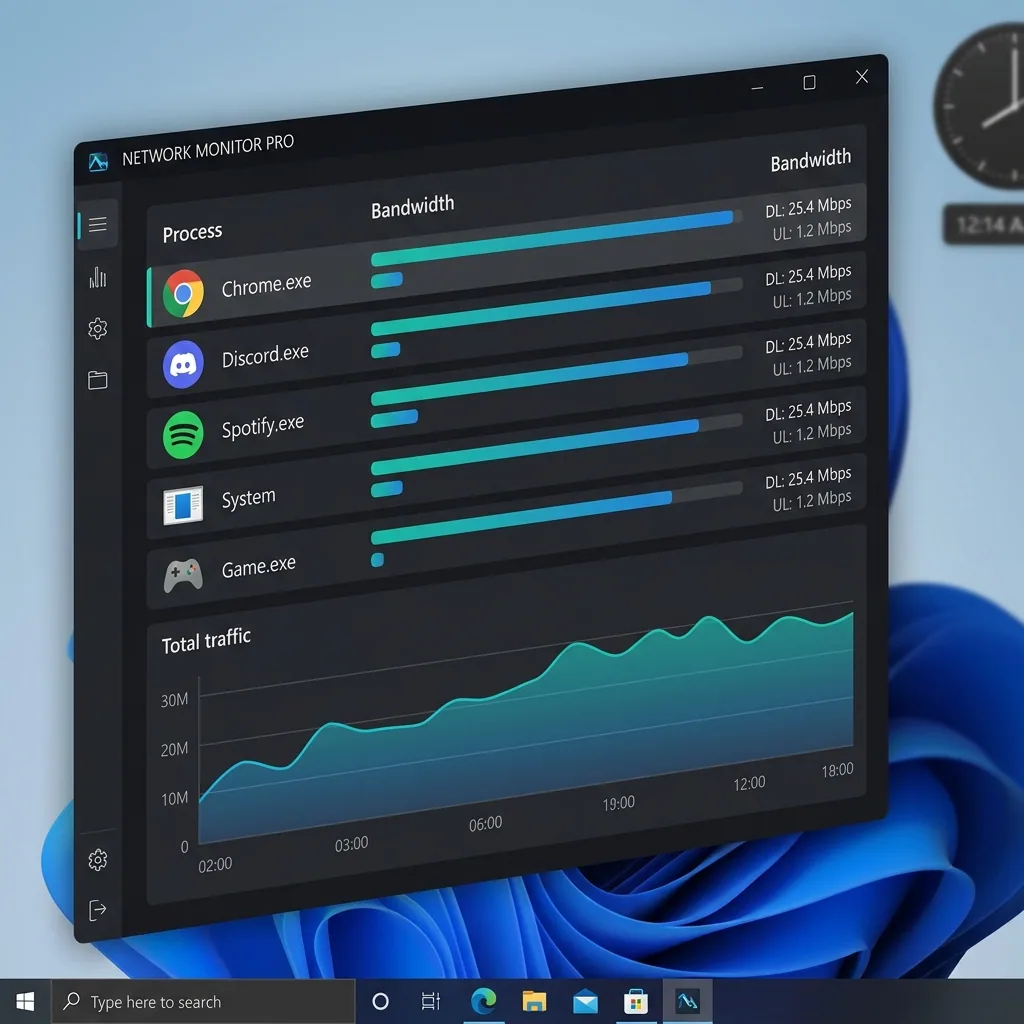
To actually enforce limits, you need NetLimiter 4 Pro at around $30. The monitoring alone is worth having, background sync traffic from apps like Dropbox or OneDrive accumulates in ways most teams never track until they see it broken down by process. For IT admins fielding constant helpdesk tickets about slow connections, that visibility alone often points directly to the culprit.
The failure mode worth knowing before you commit: the driver installation can conflict with VPN software, and full removal requires a reboot. This isn't a casual uninstall situation. If you're deploying on machines where a VPN is business-critical, test NetLimiter on a secondary device first rather than finding out mid-workday.
NetLimiter's Windows driver sits below the application layer, which means it can capture traffic that standard firewall-based tools miss entirely.
Windows 10 Firewall Control, Taming the Built-In Firewall
Why Silent Firewall Decisions Create Blind Spots
Windows Firewall blocks and allows things silently by default. Windows 10 Firewall Control (by Sphinx Software) puts a usable front-end on top of it, surfacing those decisions with a popup prompt the first time any program requests network access. You approve or deny, and a rule is written automatically. For network admins who need basic program-level control without deploying complex policy infrastructure, this fills a real gap.
Free Tier vs. Paid Tier
The free version covers basic allow/block rules. The paid version ($10 one-time) adds connection logging, notification filtering, and rule grouping. For most small-to-mid-size environments with limited IT staff, free is enough to cover the common use cases.
The Habit That Kills the Tool's Value
The biggest mistake is approving every popup without reading it. That habit defeats the entire point, the tool's value is in actually reviewing what's trying to connect outward. Skip that step and it becomes a tray icon doing nothing useful. This isn't an ARP spoofing or bandwidth throttling tool; it's specifically for controlling which programs on your machine can reach the internet and blocking the ones that shouldn't be phoning home. Organizations with compliance requirements or concerns about shadow IT will get the most out of it.
When Free Tools Aren't Enough
The three tools above each solve a narrow problem well. But IT administrators managing shared networks across multiple departments, or MSPs handling several client sites, tend to hit the limits of free utilities fast, especially when policies need to persist across device restarts, apply based on MAC address rather than IP, and take effect in real time without touching individual machines.
That's the gap tools like Perimetery PRO are built to close: agentless deployment, second-by-second live traffic visibility, and persistent per-device bandwidth policies that don't break when a user reboots or gets a new IP. Free tools are a reasonable starting point, but they're not a long-term answer for environments where network performance directly affects productivity.
Start by identifying the single biggest problem on your network right now, a bandwidth hog, an unauthorized program, a device that shouldn't have access, and pick the tool that solves exactly that. Download elmoCut from its GitHub repository, run a scan on your network, and see what's actually connected. Most admins are surprised by what shows up.
Frequently asked questions



See every device on your network
Perimetery PRO shows live upload and download per device, and lets you cap or block any of them in one click. Runs on one Windows machine, no agents to deploy.
See pricing